Point of sale
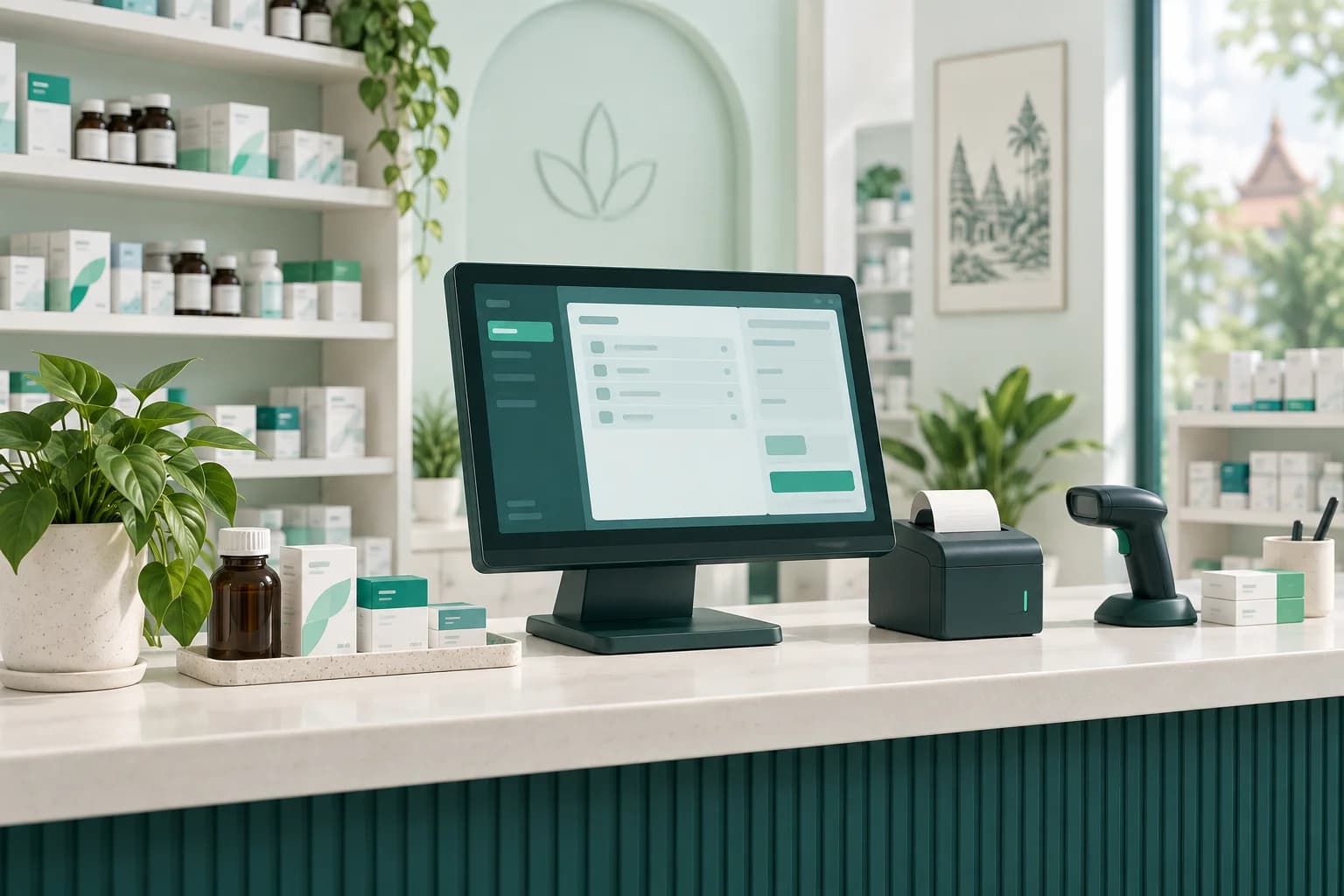
Fast counter sales with barcode scanning, per-package and per-unit pricing, and receipts — built for how Cambodian pharmacies actually sell.
PharmKulen for pharmacies
Bring counter sales, stock, and online orders together. More clarity for your team, more time for your customers.
Already a partner? Open the Pharmacy Portal
USD & KHR, side by side
Your currencies. Your exchange rate.
Khmer, English + 4 more
A familiar language for every team.
Counter + online orders
Connected in one pharmacy system.
From the first sale to the last shift, keep the details of your pharmacy in one place.
Fast counter sales with barcode scanning, per-package and per-unit pricing, and receipts — built for how Cambodian pharmacies actually sell.
Sell, price, and report in US dollars and Khmer riel side by side, with per-pharmacy exchange rates — no manual conversion at the counter.
Track stock by batch with expiry dates, get low-stock and expiry alerts, and keep quantities accurate automatically as sales happen.
Your inventory is discoverable by customers searching on pharmkulen.com. Accept paid pickup and delivery orders and turn them into sales in the same system.
Give each pharmacist and cashier their own account with role-based permissions, and manage multiple branches from one place.
Open and close shifts with expected-vs-counted drawer amounts in both currencies, so every riel and dollar is accounted for.
Daily sales, revenue, and inventory reports with Excel export — see how the pharmacy is doing without spreadsheets by hand.
The whole system works in English, Khmer, French, Korean, Russian, and Chinese, so your team uses it in the language they prefer.
Connected to PharmKulen
Your listed inventory helps nearby customers find the medicines they need. Pickup and delivery orders come directly to your team.
Nearby customers discover your listed stock on PharmKulen and place a paid pickup or delivery order.
On-duty staff are alerted in the POS, so online orders arrive alongside the work at your counter.
An accepted order becomes a normal sale, with stock deducted automatically in the same system.
PharmKulen Business
The free companion app for pharmacy owners and staff. It signs in with the same account as the web POS and shares the same inventory — so a sale rung up on a phone is the same sale, in the same books.
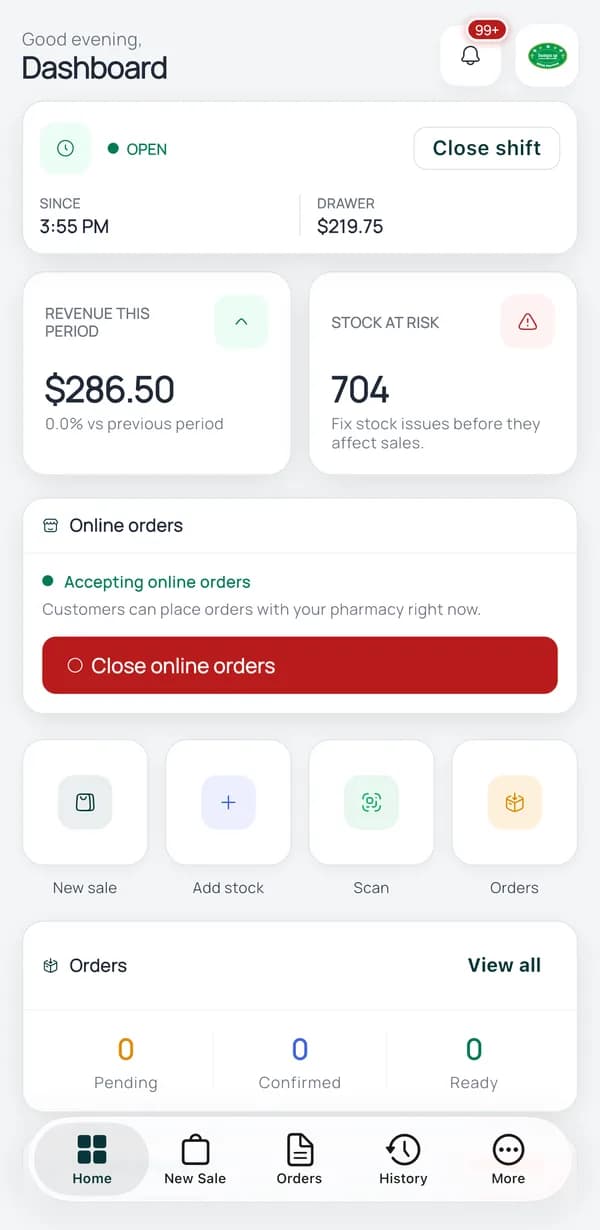
Dashboard
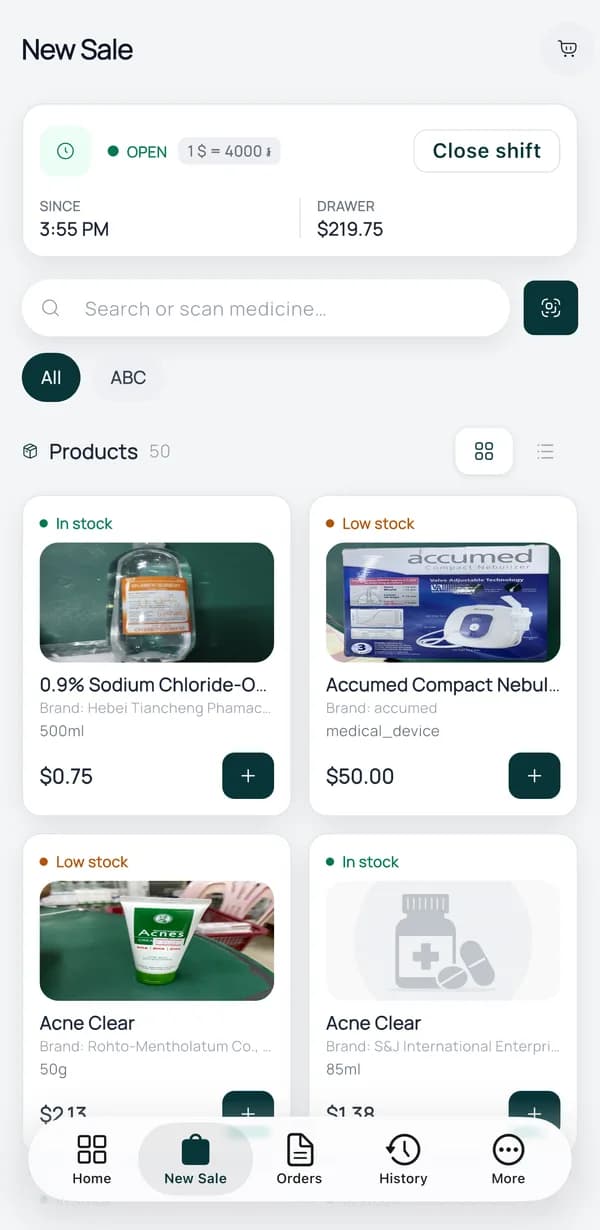
New sale
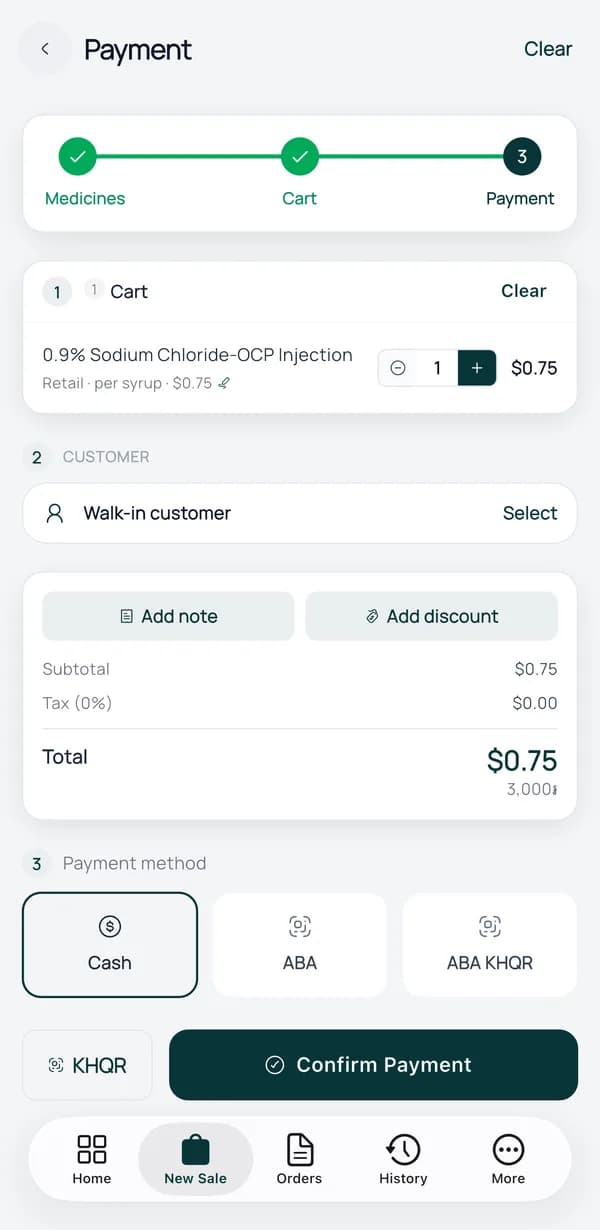
Payment
PharmKulen POS is a web-based point-of-sale and pharmacy management system for pharmacies in Cambodia. It covers counter sales in USD and KHR, inventory with batch and expiry tracking, staff roles and permissions, shift and cash-drawer management, and reports — and it connects your pharmacy to customers ordering on pharmkulen.com.
Plans for partner pharmacies are published at pharmkulen.com/pricing. Listing your pharmacy so customers can find your medicines on PharmKulen is part of the partner offering.
Yes. The PharmKulen POS works in Khmer and English, plus French, Korean, Russian, and Chinese. Medicine names support Khmer pharmaceutical terminology.
Yes. Prices, sales, shift drawers, and reports all support USD and KHR together, with a per-pharmacy exchange rate — the way pharmacies in Cambodia actually take payment.
Yes. PharmKulen Business is a free app for pharmacy owners and staff, available on the App Store for iPhone and on Google Play for Android. It runs the counter from a phone — scan barcodes with the camera, sell in USD and KHR, take Cash, ABA, or ABA KHQR, open and close shifts, and receive online orders. It signs in with the same account as the web POS and shares the same inventory.
When your inventory is listed on PharmKulen, customers nearby can find your medicines, compare prices, and place paid pickup or delivery orders. New orders alert your on-duty staff in the POS, and an accepted order becomes a normal sale with stock deducted automatically.
Licensed pharmacies in Cambodia can reach PharmKulen on Telegram at t.me/pharmkulen, by phone on +855 (16) 726733 in Khmer or +855 (10) 374007 in English, or by email at info@pharmkulen.com. Existing partner pharmacies sign in at pharmacy.pharmkulen.com.
Licensed pharmacy in Cambodia? Talk with our team about registration and finding the right setup for your pharmacy — in Khmer or English.